Usable From Module One: A Pre-Launch Accessibility Review for UK E-Learning
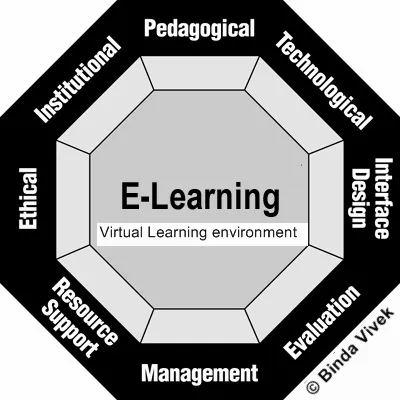
Photo: Khanb, CC BY-SA 3.0, via Wikimedia Commons
Mandatory training has an unusual property: it reaches everyone. Fire safety, data protection, anti-bribery, safeguarding, information security — the same module is assigned to the chief executive, the newest apprentice and the colleague who uses a screen reader every day. That reach is the point. It is also the risk. A barrier built into a module is multiplied by the size of the workforce, and a completion record that depends on a mouse drag quietly excludes the people least able to work around it.
The good news is that most e-learning accessibility problems are found before launch, not after, and cost far less to fix at storyboard stage than in a rebuild. This review is designed to sit between the finished build and the go-live date, with a lighter check earlier, while the content is still a script.
Map the learner journey before testing anything
Accessibility testing goes wrong when it starts with the slide deck. Begin with the route a learner actually takes: receiving the enrolment email, signing in to the learning management system, opening the module, moving through it, sitting the assessment and retrieving the certificate. Each of those steps can fail independently. A perfectly accessible module behind a sign-in page with an unlabelled password field is still an inaccessible course.
Write the journey down as a short list of steps, then test each one with the same set of tools. This also gives you a record you can reuse when the module is next refreshed.
Captions and transcripts are the floor, not the ceiling
Auto-generated captions are a starting point and rarely a finished product. Names, acronyms, UK-specific terms and accented speech are where they fail. Check a sample of at least five minutes from each video against the audio, and ensure captions can be switched on, styled and read against the background.
Provide a transcript for audio-only content and for any video where the visual carries meaning that speech does not describe. Where a module relies on on-screen text, diagrams or demonstrations, consider audio description or a described text alternative. Confirm that the media player itself is operable by keyboard and that playback speed, volume and captions are reachable without a mouse.
Test by keyboard first, and only then by mouse
A simple rule: complete the whole module using only Tab, Shift+Tab, Enter, Space and the arrow keys. If any interaction — a drag-and-drop sorting exercise, a hotspot image, a carousel — cannot be completed this way, it needs a text or keyboard equivalent. WCAG 2.2 introduces a specific requirement around dragging movements, and custom interactions in authoring tools are where most failures cluster.
Watch for focus that disappears, focus order that jumps around the screen, and controls that respond only to hover. Check that quiz buttons, the menu and the exit route are all reachable, and that the learner is never trapped inside an activity.
Screen reader checks that actually mean something
Run at least one desktop screen reader against a representative sample. NVDA with Firefox or Chrome is a common pairing, while VoiceOver with Safari covers the Apple estate. Listen for reading order that matches the visual order, images that announce meaningful alternative text, decorative images that announce nothing, form fields with proper labels, and error messages that are announced when they appear rather than merely shown in red.
Authoring tools vary enormously in the markup they produce. Do not assume a tool is accessible because the vendor says so; test the output. The 2018 public sector accessibility regulations made this expectation explicit for many UK public bodies, and a growing number of private organisations now adopt WCAG 2.2 AA as their baseline regardless of legal duty.
Plain language reduces load for everyone
Cognitive accessibility is often treated as an afterthought. Keep sentences short, put one idea on each screen, use consistent navigation and define jargon in a glossary. Give learners control over anything that moves, flashes or plays automatically. Replace instructions such as 'click the blue button' with wording that makes sense to someone listening rather than looking, and make sure any narration has a text equivalent.
Fatigue matters as much as comprehension. A twenty-minute module split into four short sections, each resumable, is usually kinder than one unbroken run — and easier to audit.
Quizzes should test knowledge, not dexterity
Timed assessments are a frequent and avoidable barrier. Where a time limit is genuinely required, build in an extension route that a manager or training administrator can apply without a lengthy case. Confirm that feedback and results are announced to assistive technology, that the pass mark is stated before the learner begins, and that the certificate can be downloaded in an accessible format and is correctly recorded against the learner's profile.
A pre-launch checklist
- The full learner journey, from enrolment to certificate, has been tested.
- Captions are edited, accurate and switchable; transcripts exist for audio-only content.
- The module can be completed by keyboard alone, with visible focus throughout.
- Dragging, hovering and timed interactions have keyboard or text equivalents.
- A screen reader has been used on a representative sample of screens and quizzes.
- Images have appropriate alternative text; decorative images are marked as such.
- Language is plain, jargon is defined, and instructions do not depend on colour or position.
- Motion, animation and audio can be paused or stopped.
- Quiz timings, feedback and results work with assistive technology.
- Certificates and completion records are accessible and correctly tracked in the learning management system.
- A route exists for learners to request adjustments such as extra time.
- An issue log with named owners and dates has been signed off before go-live.
Who needs to be in the room
Subject experts own accuracy and should not be asked to judge accessibility. Learning designers and developers own the build. The learning management system administrator owns enrolment, completion tracking and certificates, and is often the person who discovers that an otherwise accessible module cannot be recorded as complete. An accessibility specialist, or a team member trained to test, provides the technical evidence.
Disabled employees should be involved early and paid for their time. Their experience reveals friction that standards testing can miss, particularly around cognitive load and fatigue. They are not, however, a substitute for structured testing against a recognised standard — and one disabled colleague cannot speak for every disabled learner.
Make the review repeatable
The most useful outcome of a first review is not a fixed module but a fixed process. Bake accessibility requirements into the authoring template, run a light check at storyboard stage, repeat the full review before launch, and keep the evidence. When the module is next refreshed — or when a supplier asks what standard you expect — the answer will already be written down.
Training that includes everyone is not a separate version produced on request. It is the version that goes out to all staff, first time, with the barriers removed before anyone has to ask.